Associate URLs to different browsers in your machine (Multiple default browsers)
Learn how to have multiple default browsers and open different URLs with different browsers in your machine based on predefined rules
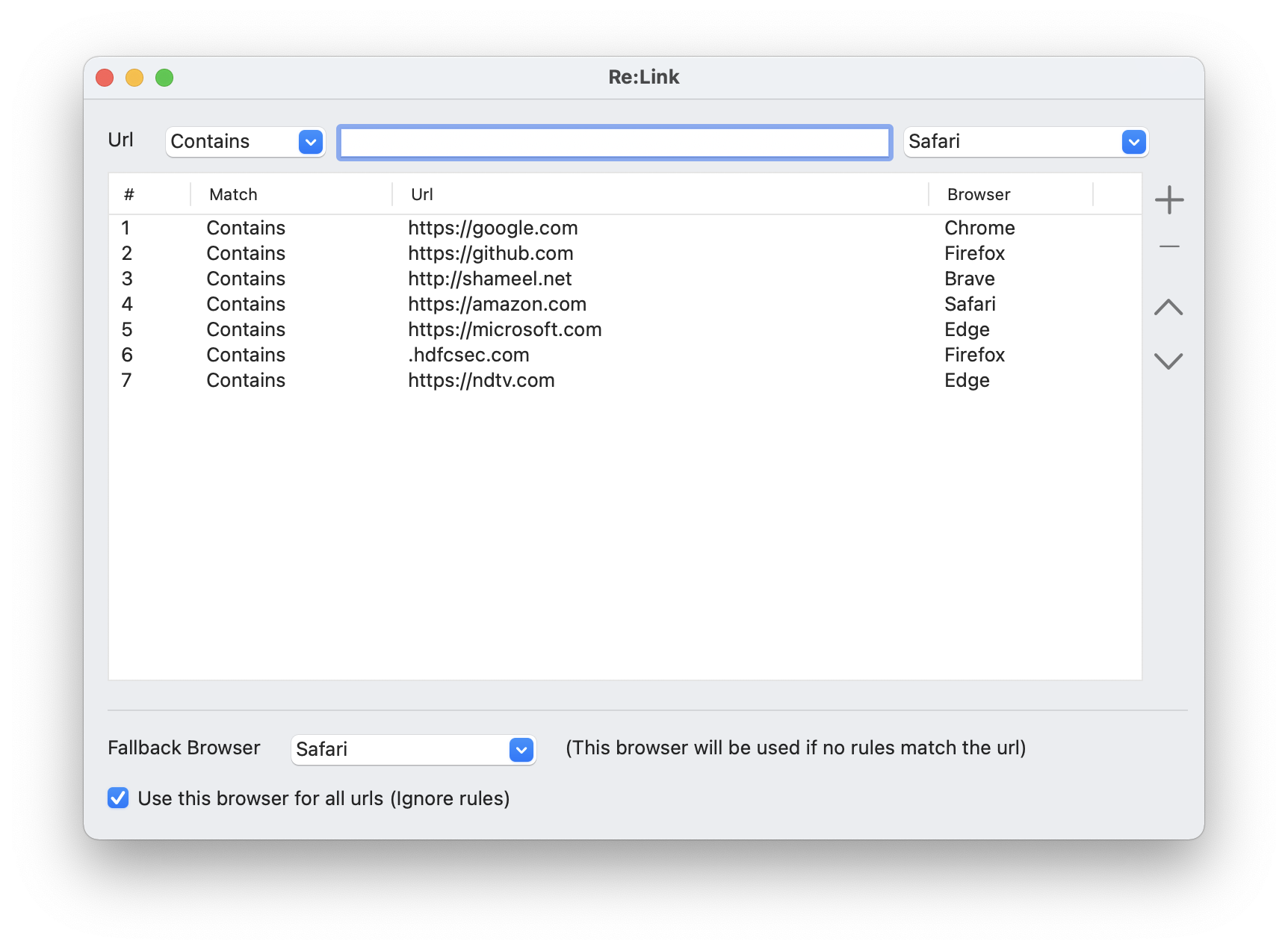
The default browser in your machines opens all your link clicks from your mail client and other apps. But what if you wish to open a few URLs in one browser and a few others in a different browser? Let's say you want to open google.com in Google Chrome, github.com in Firefox and office.com in Microsoft Edge.
Re:Link allows you to do that. Re:Link acts like a browser, intercepts your link clicks and opens the URL in one of the installed browsers based on predefined rules.
Just install it, define the rules and set it as the default browser, and see the magic. Re:Link is available for Windows 10 & 11 and MacOS 10.
Re:Link for Windows runs on Windows 10 and above and is open source. You can download the source code and binaries from GitHub.
Re:Link for Mac runs on MacOS 10.14 and above and is open source. You can download the source code and binaries from GitHub.
| Windows | Mac | |
| Source | https://github.com/zshameel/ReLink | https://github.com/zshameel/ReLinkForMac |
| Binaries | https://github.com/zshameel/ReLink/releases/ | https://github.com/zshameel/ReLinkForMac/releases |
How does Re:Link work?
The user clicks on links inside apps (e.g. WhatsApp) or an Email client (e.g. Microsoft Mail) or enters a URL in the Run dialog
The operating system (Windows/Mac) sends the link to the default browser (Re:Link)
Re:Link resolves the link to a browser based on Rules
Re:Link opens the link using the resolved browser or the Fallback browser if link resolution fails.
Here is the simple rule that I use:
Edge: Social Media, Email and Collaboration, Microsoft stuff.
Firefox: Dev-related search, GitHub, StackOverflow and other Developer portals and Open Source stuff.
Chrome: General search, Storage, Documents, Testing & validation, Google stuff.
Brave: Things I wouldn’t like being tracked.
Note that Re:Link need not be running all the time for this to work. It intercepts URL requests and link clicks on the fly and opens it in your favorite browsers.
Go ahead and try it out. Share your feedback here or in the GitHub page.
About the author
Architect and Developer with over 23 years of experience in Desktop/Console Development, Web Front-end Development, Middleware/API Development, Database Design and Development, Cloud-Native/Serverless Architecture and Development, Automation & Tooling, DevOps/CICD, and Developer Experience.
Comments
Join the discussionNo comments yet. Be the first to comment.


